
For many Indian dental clinics, patient communication still depends on phone calls, manual WhatsApp messages and front-desk follow-ups. As patient volume grows, however, these manual processes can become inconsistent. This is where WhatsApp automation for dental clinics can help create a more organised patient recall and communication system.
A patient who forgets an appointment can leave an empty chair. A patient who does not return for a preventive check-up may simply need a timely reminder. Similarly, a patient who has discussed an implant, crown, aligner or other treatment but has not proceeded may need a professional follow-up rather than being forgotten.
A well-planned WhatsApp automation for dental clinic system can help manage appointment confirmations, reminders, recalls and treatment follow-ups without making every communication dependent on the front desk.
The objective of automation is not to send more messages. It is to make sure the right patient receives the right communication at the right stage of the patient journey.
Dentist’s Insight: Automation should make your front desk more consistent—not less human. Clinical questions, complaints, treatment decisions and sensitive patient conversations should continue to receive personal attention from trained staff.
Why Dental Clinics Need WhatsApp Automation
WhatsApp is already a familiar communication channel for many patients in India. This makes it useful for appointment confirmations, reminders, recall messages, post-treatment communication and treatment follow-ups. Read a useful article on How to Present Dental Treatment Plans to Patients: Guide for Dentists.
However, the real value of WhatsApp automation is not simply convenience.
A well-designed system can help a dental clinic reduce dependence on staff memory and create repeatable communication workflows.
Instead of asking the receptionist to remember:
- Which patients have appointments tomorrow
- Who needs a six-month recall
- Which patients cancelled
- Which treatment estimates are still pending
- Who needs post-treatment instructions
- Which patients have not returned for routine care
the clinic can establish predefined workflows around these events.
Common Patient Communication Gaps
Revenue and chair utilisation can be affected by small communication gaps.
Common examples include:
- Missed appointments
- Last-minute cancellations
- Unbooked recall patients
- Delayed treatment decisions
- Incomplete treatment plans
- Forgotten follow-ups
- Empty appointment slots
- Inconsistent front-desk communication
Automation cannot solve every one of these problems, but it can make communication more systematic.
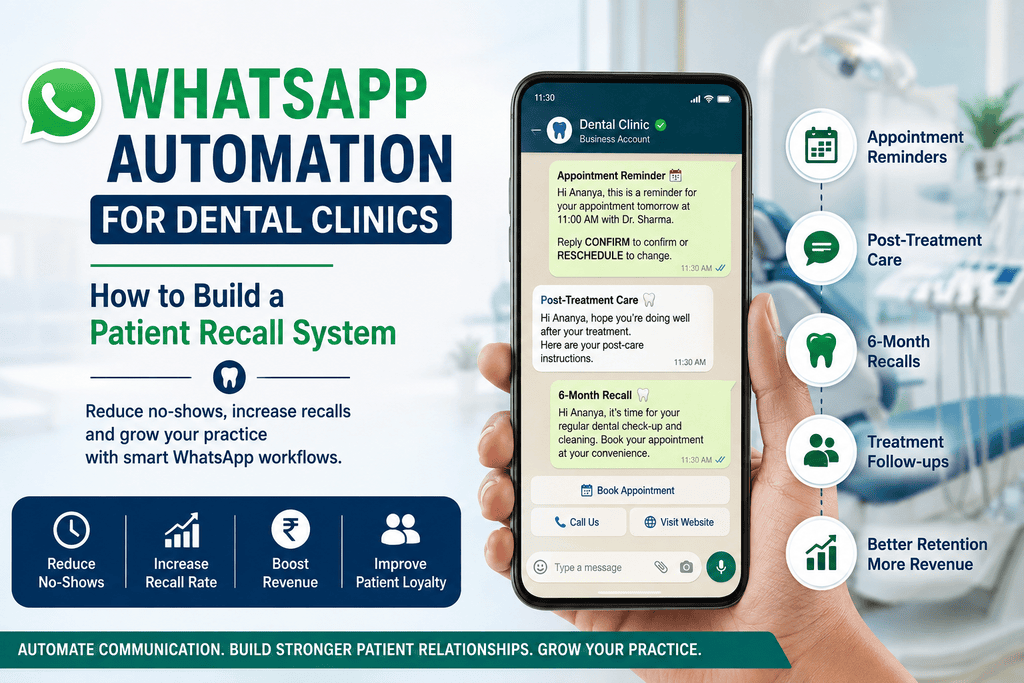
WhatsApp Business App vs WhatsApp Business Platform
The standard WhatsApp Business App can work well for a smaller dental clinic where most communication is handled manually.
As the clinic grows, however, managing a larger patient database and multiple follow-up workflows manually becomes increasingly difficult.
Limitations of Manual WhatsApp Communication
Manual communication can create several operational problems:
- Staff may forget important follow-ups.
- Multiple staff members may duplicate messages.
- Recall patients may not be contacted on time.
- Appointment reminders may depend entirely on receptionist availability.
- There may be no consistent record of follow-up activity.
A clinic should also avoid treating bulk messaging as a substitute for proper patient consent and responsible communication.
Advantages of WhatsApp Business Platform
The WhatsApp Business Platform can support more structured communication workflows, including approved templates, automation, integrations and multi-user business communication.
This becomes particularly useful when WhatsApp is integrated into the clinic’s broader operational system rather than being used only as another messaging application.
The 4-Stage Dental Patient Recall System
A practical dental communication workflow can be divided into four major stages. Read article on Dental Patient Retention: 7 Proven Strategies for Busy Clinics.
Stage 1: Appointment Confirmation and Location Details
Immediately after an appointment is booked, the patient can receive a confirmation containing:
- Patient name
- Dentist’s name
- Appointment date
- Appointment time
- Clinic name
- Clinic address
- Google Maps location
- Parking information, where relevant
- Appropriate preparation instructions
This reduces the number of routine questions the reception team needs to answer manually.
For procedures requiring specific preparation, instructions should be clinically appropriate and approved by the treating dentist.
Stage 2: 24-Hour and 2-Hour Appointment Reminders
A simple reminder workflow can include:
24 hours before: Appointment confirmation or reminder.
2 hours before: Short final reminder.
Where supported by the chosen WhatsApp setup, patients can also be given simple options such as:
Confirm Appointment | Reschedule
This gives the clinic earlier visibility when a patient cannot attend and creates an opportunity to manage the appointment slot.
Stage 3: Post-Treatment Follow-Up
Post-treatment communication can improve the patient experience and reduce unnecessary calls.
Depending on the procedure, the clinic may send approved after-care instructions 24–48 hours after treatment.
For example, a patient who has undergone an extraction may receive the clinic’s approved post-extraction instructions.
A separate message can request genuine patient feedback or a Google review after an appropriate interval.
Review requests should be transparent and should not attempt to manipulate patients into providing only positive reviews, follow Google review guidelines for Business.
Stage 4: Six-Month Preventive Recall
This is where automation can become a genuine patient retention system.
Patients who may be due for routine examination, professional cleaning or other preventive care can receive a personalised recall reminder.
A properly configured WhatsApp automation for dental clinic workflow can automatically identify patients who are due for routine follow-up and send an appropriate recall message.
Instead of waiting for the patient to remember the appointment themselves, the clinic can establish a systematic process for identifying patients who are due for follow-up.
Re-engaging Patients With Incomplete Treatment
The same principle can be applied to incomplete treatment plans.
Patients who previously discussed:
- Dental implants
- Aligners
- Crowns
- Bridges
- Root canal treatment
- Other significant procedures
may benefit from an appropriate follow-up if they have not proceeded.
The purpose should not be aggressive selling. The purpose is to make sure genuinely interested patients are not forgotten.
5 Ready-to-Use WhatsApp Templates for Dental Clinics
Template 1: Appointment Confirmation
Confirmation
Hello {{Patient_Name}}, your appointment with Dr. {{Doctor_Name}} is confirmed for {{Date}} at {{Time}}.
📍 Clinic: {{Clinic_Name}}
📌 Location: {{Google_Maps_Link}}
Please reply CONFIRM if you will attend or RESCHEDULE if you need another time.
Reminder
Hello {{Patient_Name}}, this is a reminder for your appointment with Dr. {{Doctor_Name}} tomorrow at {{Time}}.
Please reply CONFIRM or RESCHEDULE.
Template 2: Post-Treatment Care
Hello {{Patient_Name}}, we hope you are comfortable after your treatment today.
Your post-treatment instructions are available here:
{{Care_Instructions_Link}}
If you have a concern requiring clinical attention, please contact {{Clinic_Name}} at {{Clinic_Phone}}.
Template 3: Six-Month Recall
Hello {{Patient_Name}}, it may be time to consider your routine dental check-up and professional cleaning.
Regular dental examinations can help identify problems at an earlier stage.
Would you like us to arrange an appointment with Dr. {{Doctor_Name}}?
Book Appointment: {{Booking_Link}}
Template 4: Incomplete Treatment Follow-Up
Hello {{Patient_Name}}, you previously discussed {{Treatment_Name}} with Dr. {{Doctor_Name}}.
We are checking in to see whether you would like to continue your treatment discussion.
If you have questions or would like another consultation, reply to this message and our team will assist you.
Template 5: Patient Feedback Request
Hello {{Patient_Name}}, thank you for choosing {{Clinic_Name}}.
We would appreciate hearing about your experience with our team.
You can share your feedback here:
{{Google_Review_Link}}
Thank you for trusting us with your dental care.
How to Set Up WhatsApp Automation for a Dental Clinic
Step 1: Set Up Your Business Assets
Before implementing WhatsApp automation for dental clinic communication, identify the patient journeys and repetitive tasks that your team wants to automate.
Start by establishing the appropriate business assets and WhatsApp Business Platform setup.
Do not make a verification badge the primary objective. A reliable communication system, appropriate consent and useful patient workflows are more important than simply obtaining a badge.
Step 2: Choose the Right CRM or Practice Management Software
Before selecting a platform, check whether it can support:
- Patient database integration
- Appointment reminders
- Recall scheduling
- Treatment follow-ups
- Multiple staff users
- Message templates
- Reporting
- Consent management
- Integration with existing practice software
Avoid selecting software simply because it promises bulk WhatsApp marketing.
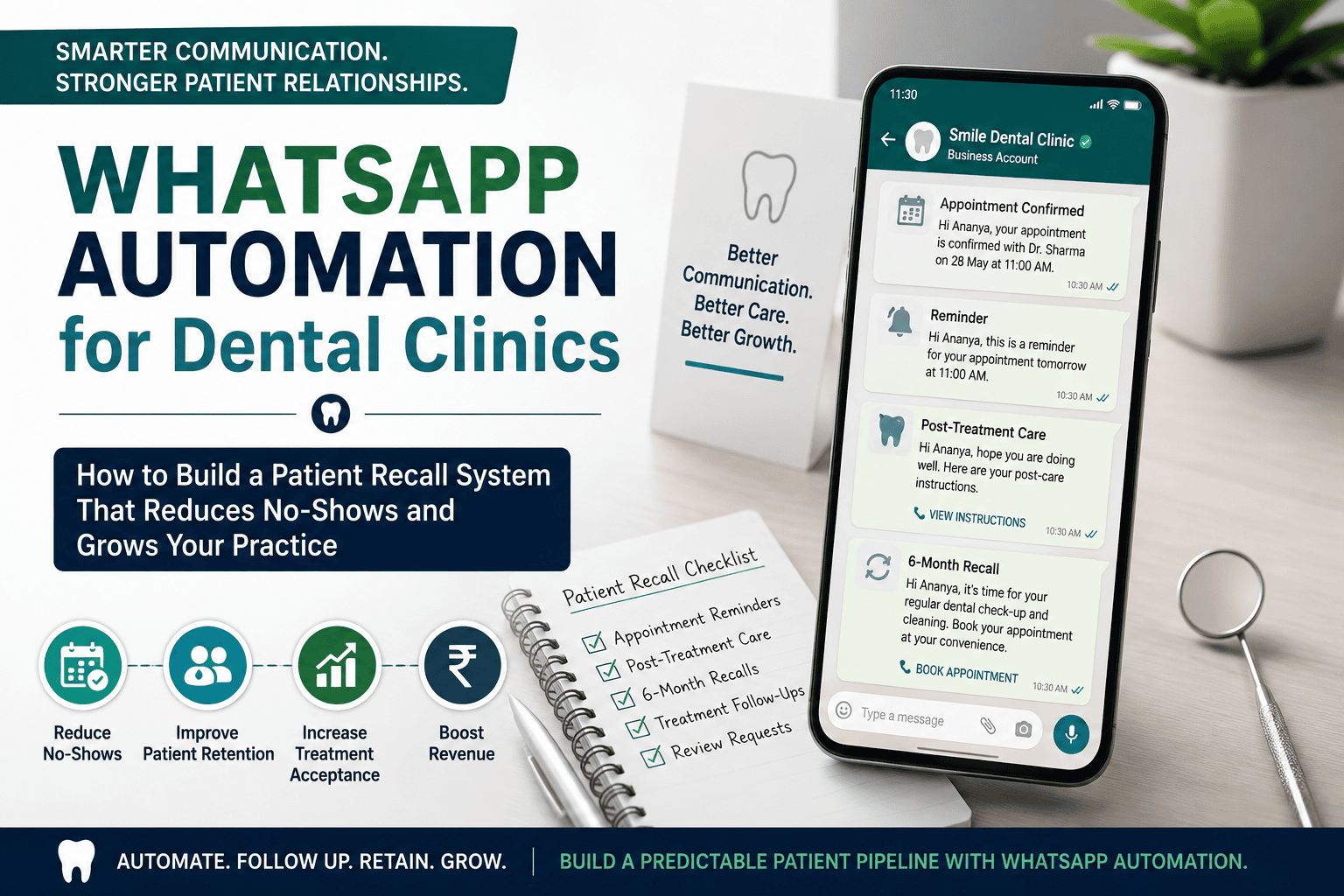
Step 3: Map Patient Trigger Events
Identify events in your clinic that should trigger communication.
For example:
Appointment booked → Confirmation
Appointment tomorrow → Reminder
Treatment completed → After-care
Six months elapsed → Recall
Treatment estimate pending → Follow-up
This turns WhatsApp from another receptionist task into a structured workflow.
Step 4: Train Your Front-Desk Team
Automation does not eliminate the need for trained reception staff.
Your team should understand:
- When to respond personally
- When to escalate a clinical question
- How to manage rescheduling
- How to record patient responses
- How to handle opt-outs
- How to protect patient confidentiality
The technology should support your team—not replace good patient communication.
WhatsApp Automation Is Only One Part of Dental Clinic Growth
Automating patient reminders is useful, but it should not be confused with a complete growth strategy.
A clinic may have excellent appointment reminders and still struggle with:
- Low treatment acceptance
- Poor chair utilisation
- Inefficient scheduling
- Underutilised clinical hours
- Staff workflow problems
- Weak treatment coordination
- Financial inefficiencies
If these are the real bottlenecks, simply sending more WhatsApp messages will not automatically make the practice more profitable.
This is why WhatsApp automation should be considered one component of a broader dental clinic growth strategy.
For dentists looking beyond WhatsApp automation and wanting to learn about the broader process of growing a dental practice, explore DentistUpgrade.com’s guide, How to Grow a Dental Clinic: Proven Strategies for Dentists.
Improve Chair-Hour Utilisation
Instead of measuring only the number of patients visiting your clinic, monitor how effectively your available clinical hours are being used.
Useful metrics include:
- Scheduled chair hours
- Actual treatment hours
- Cancellation rate
- No-show rate
- Average treatment value
- Unfilled appointment slots
Better communication can help reduce avoidable gaps, but the clinic also needs appropriate scheduling and operational systems.
Improve Treatment Follow-Up and Case Acceptance
Patient communication should continue beyond the first appointment.
A systematic follow-up process can help ensure that patients who have already shown interest in treatment are not lost simply because nobody followed up.
For larger treatment plans, the process may involve:
Consultation → Treatment discussion → Estimate → Follow-up → Questions answered → Decision → Scheduling
The objective is to support informed patient decisions rather than pressure patients into treatment.
Build Better Front-Desk Systems
A growing dental clinic needs documented processes.
Reception scripts, staff SOPs, treatment coordination procedures, scheduling rules and recall systems can make the patient journey more consistent.
Explore the Dental Clinic Growth Roadmap
Automating communication is only one part of building a more predictable dental practice.
If your clinic needs help beyond communication automation—including operational systems, financial planning, staff processes and practice growth—our business consultancy services for dentists can provide a broader strategic approach.
Build a More Predictable Patient Recall System
WhatsApp automation for dental clinics is not simply about sending automated messages.
The bigger opportunity is to create a connected patient journey:
Appointment → Confirmation → Reminder → Treatment → After-care → Review → Recall → Re-treatment
When this communication system is combined with effective front-desk processes, treatment coordination, chair utilization and financial management, technology becomes a practical tool for sustainable dental practice growth.
While automation helps with patient communication and retention, patient acquisition requires a separate marketing system covering areas such as SEO, Google Business Profile, paid advertising and other acquisition channels. See our dental practice marketing plan for the marketing side of practice growth.
Frequently Asked Questions
Common questions on compliance, costs, integrations, and patient recall workflows via WhatsApp.
Can a dental clinic’s WhatsApp number get blocked for sending recall messages?
There can be a risk if messaging practices violate WhatsApp’s policies or generate significant negative feedback. Clinics should follow applicable WhatsApp requirements, obtain appropriate consent and provide suitable ways for patients to stop receiving non-essential communications. Clinics should also review the applicable WhatsApp Business Messaging Policy before implementing automated patient communication.
What is the cost of WhatsApp Business Platform for a dental clinic in India?
There is no single fixed cost. Expenses may include WhatsApp platform or message charges, software or Business Solution Provider fees, CRM integration and implementation costs.
Pricing can also vary according to message category and destination. Therefore, compare the overall monthly cost and workflow capabilities rather than choosing a provider only because it offers a low per-message price.
Can WhatsApp automation reduce dental appointment no-shows?
Timely reminders can give patients an opportunity to confirm or reschedule appointments. An important operational benefit is that the clinic may know earlier when an appointment could become available, giving the team more time to manage the schedule.
Can WhatsApp reminders integrate with dental practice software?
Integration depends on the practice-management software and the WhatsApp platform being used. Before purchasing a solution, check whether it supports APIs, webhooks, appointment triggers and patient-data integration.

Dentist | Private Practitioner | Dental Clinic Owner | Dental Practice Consultant
Dr. Anuran Ghosh Mondal is a BDS-qualified dentist, private practitioner and dental clinic owner with 12+ years of clinical experience in India. He is the founder of DentalClinicAlly.com and DentistUpgrade.com and has practical experience in Dental Clinic Business Consulting- dental practice management, patient acquisition, market analysis, branding, marketing and clinic growth.